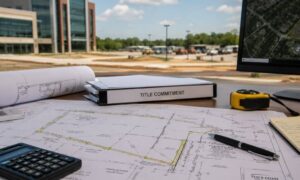

Surveying land and turning field data into useful maps can be slow and tricky. You collect information in the field, bring it back to the office, clean it up, make maps, and then share them with clients or use them for planning. Thankfully, things are changing. The latest update to ArcGIS Online gives survey teams access to modern survey mapping tools that make this whole process much smoother. With these tools, teams can handle data more efficiently, work together without delays, and produce maps that are easier to use and understand. Let’s explore what this means, why it matters, and how it can help people who rely on accurate survey maps.
What Is Survey Mapping?
Before we dive in, let’s break down survey mapping in simple terms. Survey mapping is all about taking measurements from the land and turning them into a map that shows where things are — like boundaries, roads, buildings, water, or even changes in elevation. It’s a key step when planning homes, parks, roads, or even checking flood risks.
To get it right, survey teams follow certain survey mapping best practices. That means measuring carefully in the field, organizing the data clearly, and making sure the maps are easy to understand when they reach planners or clients. Most surveyors use field tools and software together, so the handoff from field to office is smooth.
Because this work involves both field and office tasks, having a solid routine makes it much easier to switch between the two without mistakes or delays.
What Changed in ArcGIS Online?
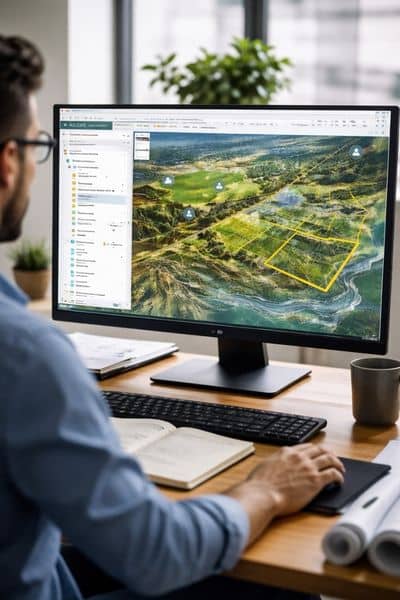
ArcGIS Online recently received a big update. This cloud-based software helps people create and share maps and spatial data. It’s used by cities, engineers, environmental teams, and land surveyors. The newest update brings many improvements that help teams complete survey mapping jobs faster and more smoothly.
Here are some of the major enhancements:
1. Better Map Viewer Tools. The Map Viewer section now has improved tools for drawing, editing, and labeling map features. For example, labels stay in place as you zoom in and out, making maps easier to read. You can also style layers in smarter ways without extra effort.
2. Richer Data Options. The update added new ways to work with map layers and imagery. You can use advanced tools to understand landforms and terrain faster. These tools help you spot patterns like ridges, valleys, and flat areas quickly.
3. Better Data Editing. Editing tools now allow true curves instead of lots of tiny straight lines. This makes maps look more accurate and saves time. Teams can also share editing tools with others without confusion.
4. Improved App and Data Management. There are updates that make it easier to build and share small mapping tools or dashboards with others. This helps teams share data more quickly and work together better.
All of these updates help people who work with survey mapping avoid common delays and get to the right information faster.
Why This Matters for Survey Mapping Teams
Now you might ask: “Why does this matter for me or my project?” Well, the answer is simple — these improvements help both the people doing the mapping and the people waiting for results. Here’s how:
1. Faster Field-to-Office Workflows. Survey teams no longer need to wait until the end of the day to upload all their field data. Better tools mean data can be uploaded and edited sooner. This cuts down the time between collecting field data and making a final map.
2. Clearer, Easier Maps. Because labels stay visible and editing tools are smarter, maps look cleaner and are easier to understand. Clients and decision-makers won’t get confused by messy maps. Instead, they will see clear results that help them plan with confidence.
3. Better Team Collaboration. Improved editing tools and app updates let teams share parts of the mapping process with others. For example, a field tech can update data that an office planner sees immediately. This means fewer delays and less back-and-forth when something needs fixing.
4. Less Room for Error. When data updates are faster and more accurate, there’s less chance of mistakes. Mistakes in survey mapping can lead to wrong boundaries or misinformed planning. By improving the tools that handle data, teams can avoid these costly problems.
What This Means for Clients and Projects
If you are a homeowner, builder, developer, engineer, or planner, these updates matter. Well-built survey mapping makes your project better in many ways:
- Quicker turnaround for survey results.
- Fewer surprises when building or planning.
- Better planning data for flood risk, site design, and boundaries.
- Easier to understand maps that everyone can read.
Let’s say you are planning a new subdivision. Better survey mapping means surveyors can collect data, upload it, edit it, and share it with engineers faster than ever. In turn, that helps architects, construction teams, and permitting offices stay on schedule.
A Simple Example of Field to Office
Imagine a survey team working in Carrollton on a new park project. In the morning, they go out to measure land features like trees, paths, and elevation. Instead of waiting until the end of the day, they upload their data right away using ArcGIS Online.
Back at the office, the planner opens the live map, sees the updated information, and starts working right away. If something looks off, the planner adds a note, and the field team can fix it before the end of the day.
This kind of workflow helps everyone stay in sync without waiting for files to travel back and forth. It makes survey mapping feel smooth instead of clunky.
Conclusion: Better Tools for Better Maps
The recent ArcGIS update is big news for anyone involved in mapping, planning, and land projects. It brings faster ways to collect, edit, and share information, which means survey teams can deliver maps quicker and with fewer mistakes. All of this helps projects move forward with more confidence and less stress.
If you want accurate and up-to-date survey data without long waits or confusing steps, modern survey mapping tools can make a real difference.